Integrations
Employees act through your real business tools — email, CRM, accounting, shops, social. An owner connects a tool once; you decide which employees may use it.
Connect a tool
Connect from the Integrations page — usually a sign-in or a pasted API key. Search by name, or narrow by Category (Email & Calendar, Files & Docs, Documents & Signing, CRM & Sales, Support & Helpdesk, Team comms, Project & Dev, Finance & Payments, Online shop, Marketing, Analytics, HR & Time, Automation) and Show (available, connected, on the roadmap). Connecting and disconnecting are owner-only.
Credentials are stored encrypted and never shown back in full. The tools you named at signup appear as favourites. If a connection stops working, a banner says so and Reconnect fixes it.
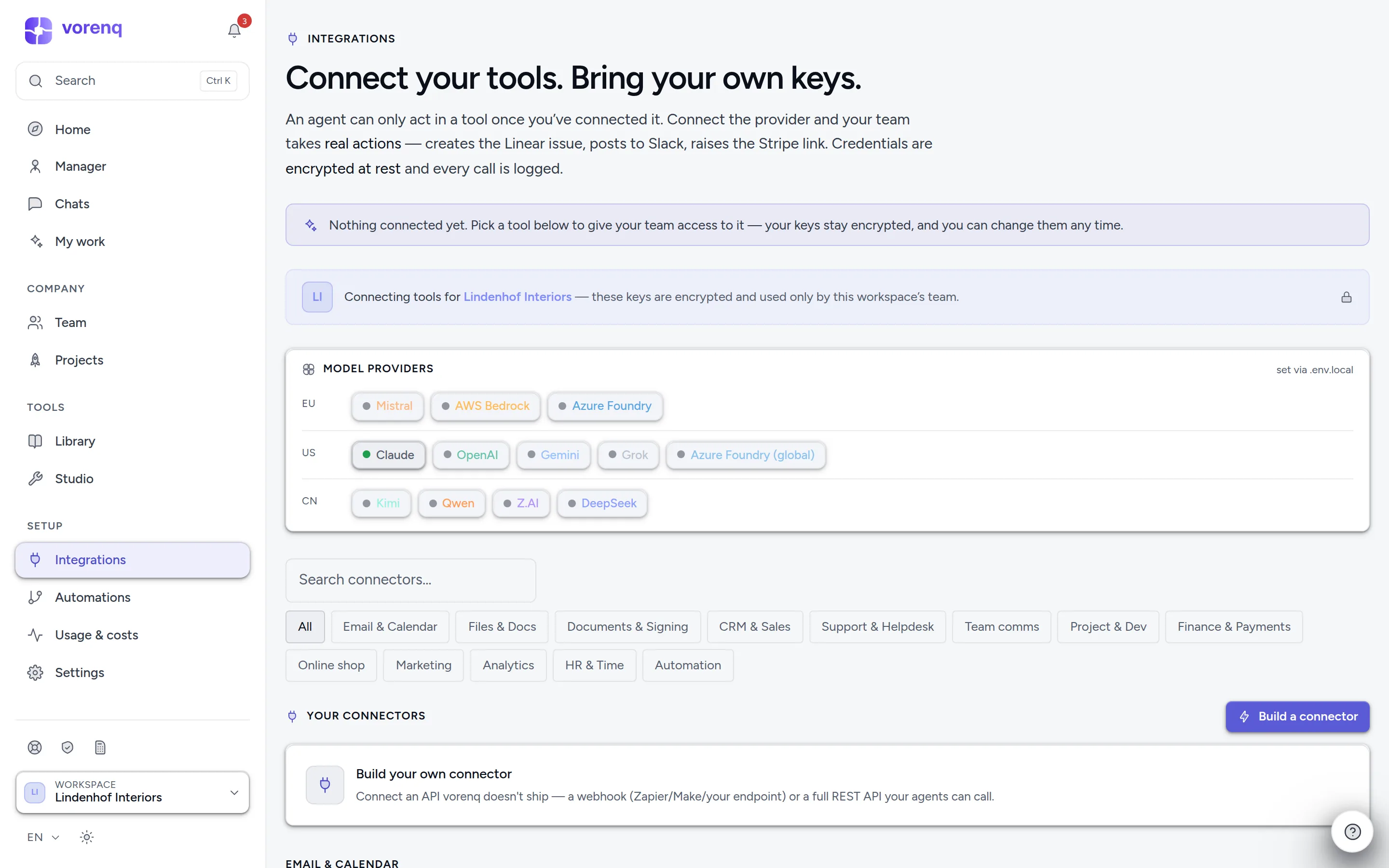
- 1Find a tool by name…
- 2…or narrow the catalog by category, and show what's available, connected or on the roadmap.
- 3Model providers power the thinking itself; open the list to see which are active.
- 4Something wrong with a tool? “Report a problem” reaches support with a reference number.
Who gets access
Employees use the connectors you gave them — set per employee in its editor, or let Vori grant access on your go-ahead. One exception: when Outlook, Gmail or a Hostpoint mailbox is connected, every employee can read the company inbox unless you exclude it (Company inbox in its editor); sending still needs the connector. Marketing employees also see ads performance once an ads platform is connected.
Custom connectors — a webhook or a REST API, optionally imported from an OpenAPI file — let you wire in any tool with an HTTP API.
Reading vs. writing
On the Security page, under per-connector permissions, you decide per tool — separately for reading and writing — Default, Allow, Ask first or Block. «Read Gmail but never send» is one setting. On a connected card, What employees may do offers the quick version for writes: standard, ask first, block. Anything you leave alone keeps the default: reads run, writes follow the approval rules.
Swiss specifics
Swiss needs are first-class:
- Swiss QR-bills are read deterministically (checksum-verified), not guessed at by a model.
- Zefix looks up the commercial register — company, UID, legal seat — instead of guessing (it needs a free Zefix webservice login).
- Federal sources, no account needed: the ESTV exchange rates for VAT, the UID register (is this VAT number live, is this company still active) and the SHAB gazette.
- Dunning under Swiss law: the bexio reminder run works out default interest, limitation and debt-collection holidays and prepares the Betreibungsbegehren data sheet — prepared, never filed.
- Payroll: employees compute a Lohnlauf from the statute for the years it is encoded; your insurer and fund rates are yours to give — a missing one stays open, never guessed. bexio Lohn and KLARA Lohn connect to the payroll you already run.
- Pingen turns a PDF into real postal mail, always drafted first; by default, dispatch needs your approval.
Report a problem
Something wrong with a connector? Report a problem on its card (even an unavailable one), in its connection dialog or at the top of the page. The report names the connector, reaches support with a reference number, and keeps your text if sending fails.
Tools on the roadmap
Some tools are in the catalog but can't be connected yet — the provider needs partner onboarding, has no public API, or requires its own sign-in integration. They are hidden unless you choose Show → On the roadmap. A tool that connects by sign-in becomes connectable as soon as that sign-in is set up — its card then offers Sign in with….