Automations & workflows
Work that repeats shouldn't need you to remember it. Three building blocks — workflows, schedules and reflexes — plus ready-made routines and an accounting flow.
Start from your company operating plan
Ask Vori for your company operating plan. It shows saved responsibilities, setup gaps and existing workflows, with each routine's next step — prepare, connect apps, assign an employee, rehearse, review and activate. Open a Swiss preparation recipe for formation, employment, privacy, services, construction or commerce, then choose Review template. Owners land in the workflow editor with localized steps and proposed employee assignments. Check the people, briefs and app access before saving. Opening the template does not create or run a workflow.
The existing-workflow table links to each workflow’s history and shows its latest linked run and completed steps; live responsibilities show failures, open decisions and their next cycle, with Pause future cycles. Coverage is limited to 24 workflows; missing evidence is marked as not read. Workflow names do not prove a preparation recipe is covered, and completed steps do not establish a business outcome or legal compliance.
Schedules
Run a task automatically at an interval you set — every Monday at 8, summarise last week's sales. The result lands like any other run: visible, priced, approval-gated where needed. A schedule whose own runs keep failing stops itself — fix the cause, then resume it. Browse chores offers ready-made recurring chores to add in one click. Creating schedules and reflexes is owner-only.
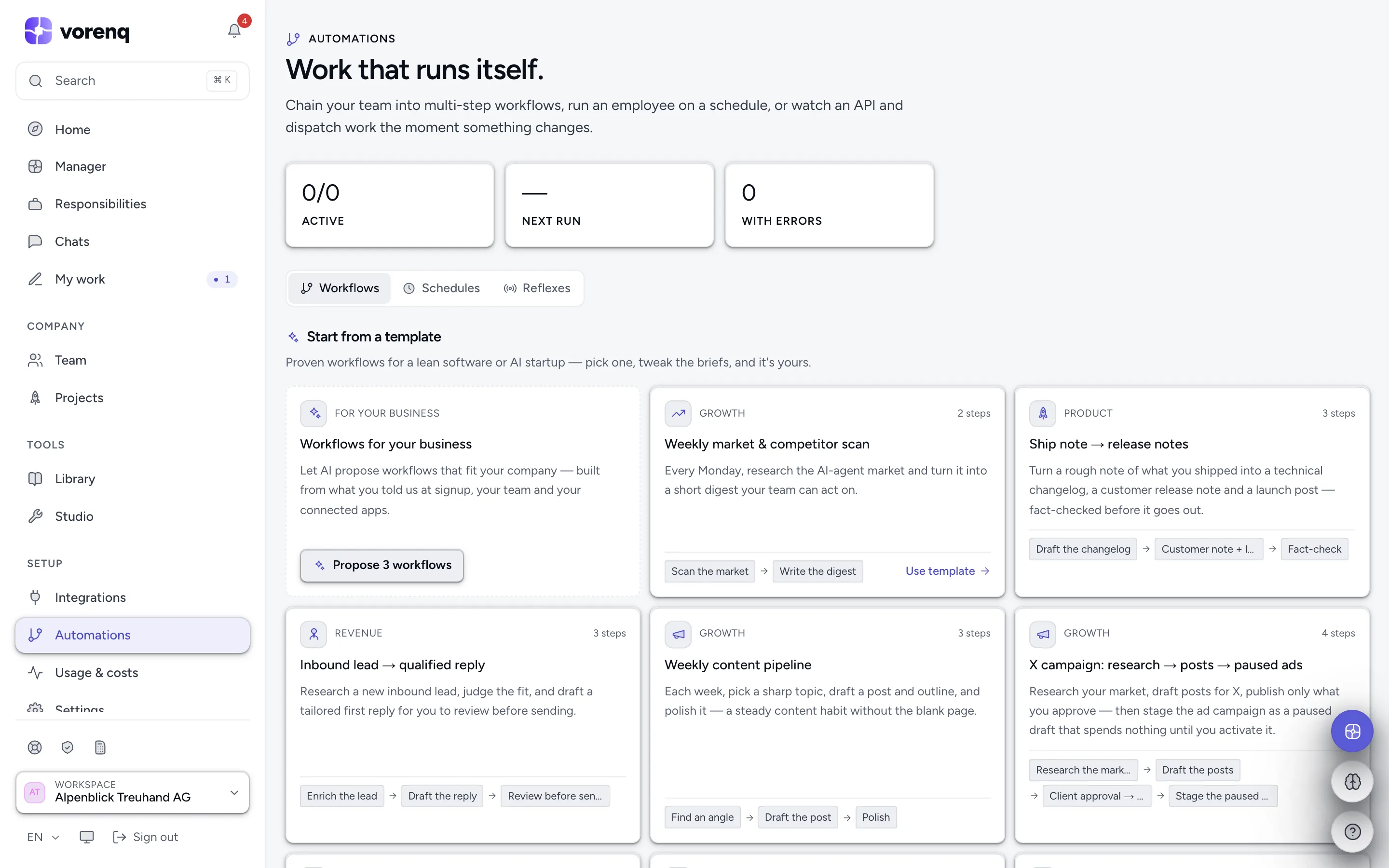
- 1Three kinds: workflows (chained steps), schedules (on a clock), reflexes (react to an event).
- 2Templates are ready-made workflows — adopt one, then adjust the briefs to your business.
- 3Or let AI suggest: “Propose 3 workflows” reads your setup and proposes automations that fit.
Reflexes
A reflex dispatches work when something happens: a new email in Outlook, Gmail or Hostpoint, a failed or disputed Stripe payment, a new shop order, a new deal or lead in your CRM, a GitHub issue or failing build, a helpdesk ticket, an overdue bexio invoice, a new review, a Discord mention — or a change at a public URL (any change, or a value in its JSON).
Workflows
Multi-step sequences, run by hand, on a schedule or when a URL changes. Each step names its worker, its task and optionally a specific model; steps can run in parallel branches (list or canvas view). A step that needs a not-yet-connected tool pauses until you connect it, then continues automatically. Describe one in words and the AI builds it, or let Vori design it; each workflow has its run history, and a failed step can be retried.
Attach a workflow to a project (in the editor, or via Vori) and every step runs with the project's shared context — outcomes and files collect on that project's page.
Accounting, from A to Z
Set up accounting on the Workflows tab builds a bookkeeping flow for bexio, CashCtrl, Odoo, QuickBooks, Xero, KLARA, Banana or SmallInvoice — daily, monthly or for one fixed period, in ten stages from intake to the closing pack. Every bookkeeping stage ends with a read of the ledger, and before the flow completes, trial-balance totals and bank-to-books figures are checked to the cent; a real discrepancy stops the flow. Bank release, statutory filing and final sign-off stay your steps.
Ready-made routines from your industry package
If you picked an industry package at signup, its routines are already here as workflows you start yourself — the construction package, for example, installs Regie week → invoices, Site change → Nachtragsofferte, Abnahme → defect list & letters, Subcontractor papers check and six more.
Running one takes no setup: press Run now on the routine. When it needs material — the signed Rapporte, an Abnahmeprotokoll, meeting notes — either hand the papers to Vori in plain language and it routes the work, or just run the routine anyway: started empty, it answers with a short list of exactly what to hand over, instead of guessing.
Two rules every routine follows: invoices and bookings are only ever created as drafts in your accounting app and, by default, wait for your approval, and deadlines with legal force (guarantee periods, liens) are tracked and flagged for you — never decided by the AI.