Vori, your AI manager
Vori is your AI manager and the top of your AI hierarchy: describe what you need, and it staffs, plans and delegates. It runs on OpenAI GPT-6 Sol by default — in an EU-hosted workspace on an EU-hosted model, and on another provider's model when OpenAI isn't configured. An owner can pick another model, and how hard it thinks, in Settings → AI & memory.
Ask in plain language
Tell Vori what you need — «Someone should answer our support emails», «I need a price list for the new season» — and it proposes who should do the work or whom to hire. Proposals arrive as cards (Start work, Hire team) and wait for your click; say «do it now» and it starts the work directly.
Once your company profile is set, the try one of these suggestions under the greeting are written for your business, not generic examples. Attach files with the paperclip — or scan a bill with the camera — and they go to whoever takes the job. Above the composer, a band tells you what finished since you last spoke and what is waiting on you.
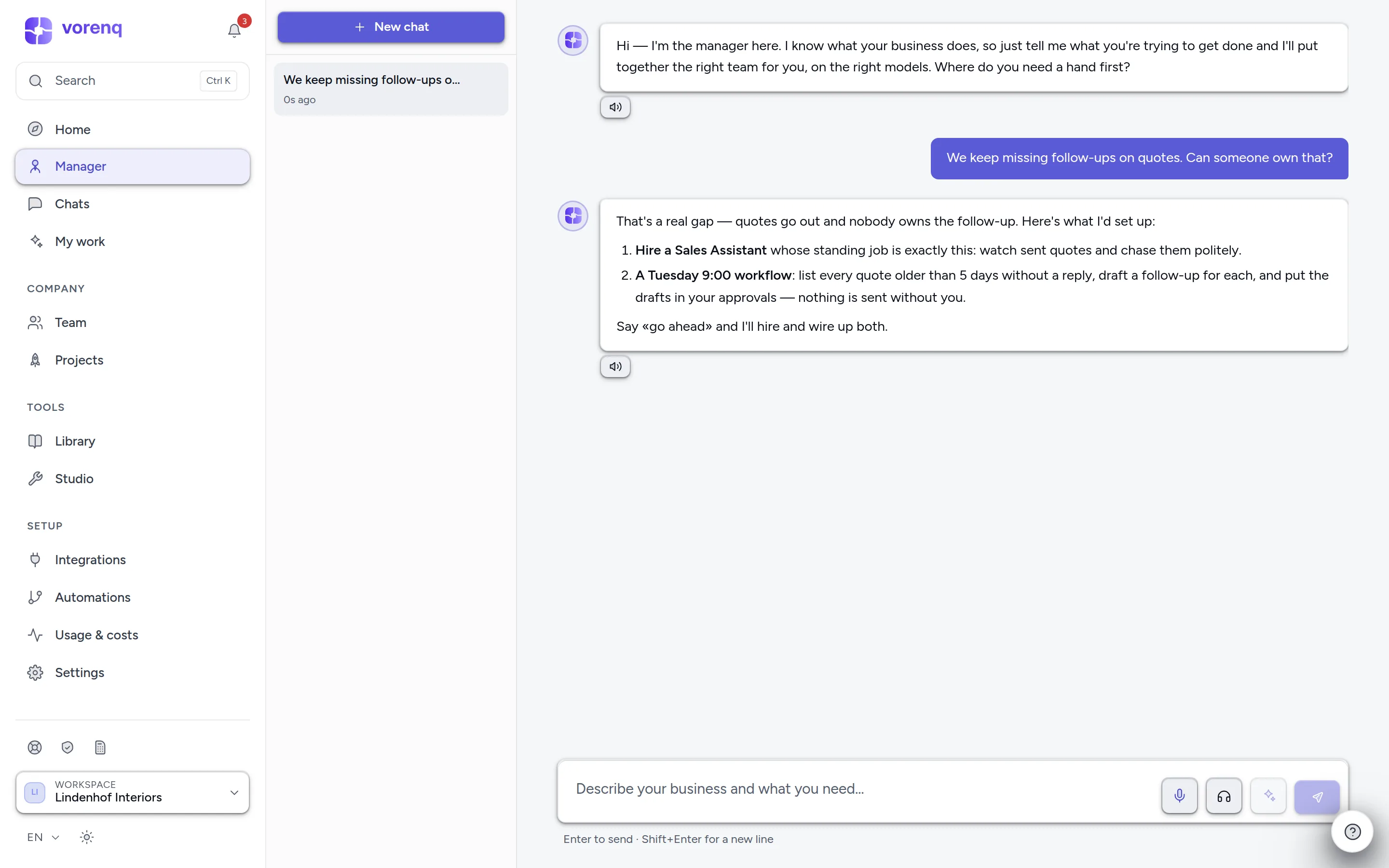
- 1Type here in plain language — what's annoying, what you need. No commands, no special syntax.
- 2Vori answers with a concrete plan — who does the work, whom to hire. A proposal waits for your click.
- 3One topic per conversation works best — “New chat” starts a fresh one.
It can act for you
On a clear go-ahead («set it up», «go ahead») Vori acts directly. Among other things it can:
- hire employees, change their model, instructions and app access, and restructure teams
- start work now, plan a task with you first, and stop or retry runs
- create and edit workflows, schedules and reflexes, and pause or resume them
- draft, test, activate and pause responsibilities
- answer your employees' questions and decide approvals — one at a time, or several at once after showing you what it would decide
- add or remove knowledge, update settings and auto-approve rules, and set spend budgets
Staffing, automation and settings changes are owner-only — in a member's chat Vori says what to ask an owner for. Some actions ask for your password again. A settings change can be undone («undo that»); hiring, merging employees, disconnecting an app, approval decisions and deletions cannot — before deleting anything, Vori shows you what would go.
Ask it status questions
Vori sees the live state of your operation — what's running, what's waiting on you, schedules, recent results, spend and the credit balance. «What's still open from this week?», «How much did we spend yesterday?» or «Show me our operating plan» get real answers, not guesses.
Talk instead of typing
The microphone button records your voice and turns it into text in the message field — you review the transcript and send it yourself; dictation never sends anything on its own. The headphones button starts a hands-free voice conversation.
Anywhere in the app, ⌘⇧Space (Ctrl+Shift+Space) dictates into the text field you're in — never into a password field; Esc cancels.
Ask or capture — from any page
⌘J opens Vori on top of whatever page you're on. Choose Ask Vori to hand over a request, or Capture ideas to empty your head — «chase the Meier invoice, plan next week's post, someone should look at the hosting bill» — and Sort it out turns it into proposals you review on My work. Your permissions and approval rules apply either way.