Giving work
A run is one unit of work: a brief you hand to an employee, every step they take, and the result with what it cost. Runs execute server-side — you can close the tab.
Start a run
Most work starts with Vori: describe it, press Start work on its proposal (or Start all for several), and Watch live if you like.
To brief one employee yourself, use Give a task on its Team card, in its chat, or on its row in ⌘K. The task composer routes your brief to the right person — it shows who will do it, and change picks someone else. Attach images or PDFs if they help, and start with ⌘/Ctrl + Enter.
More options holds the rest: Save to board keeps the brief for later, Tonight −25% queues it for the night rate (02:00–05:00 Swiss time), Rehearsal does the work without sending anything out, Estimate first prices it before it starts, and Spending limit for this task stops it at an amount you choose.
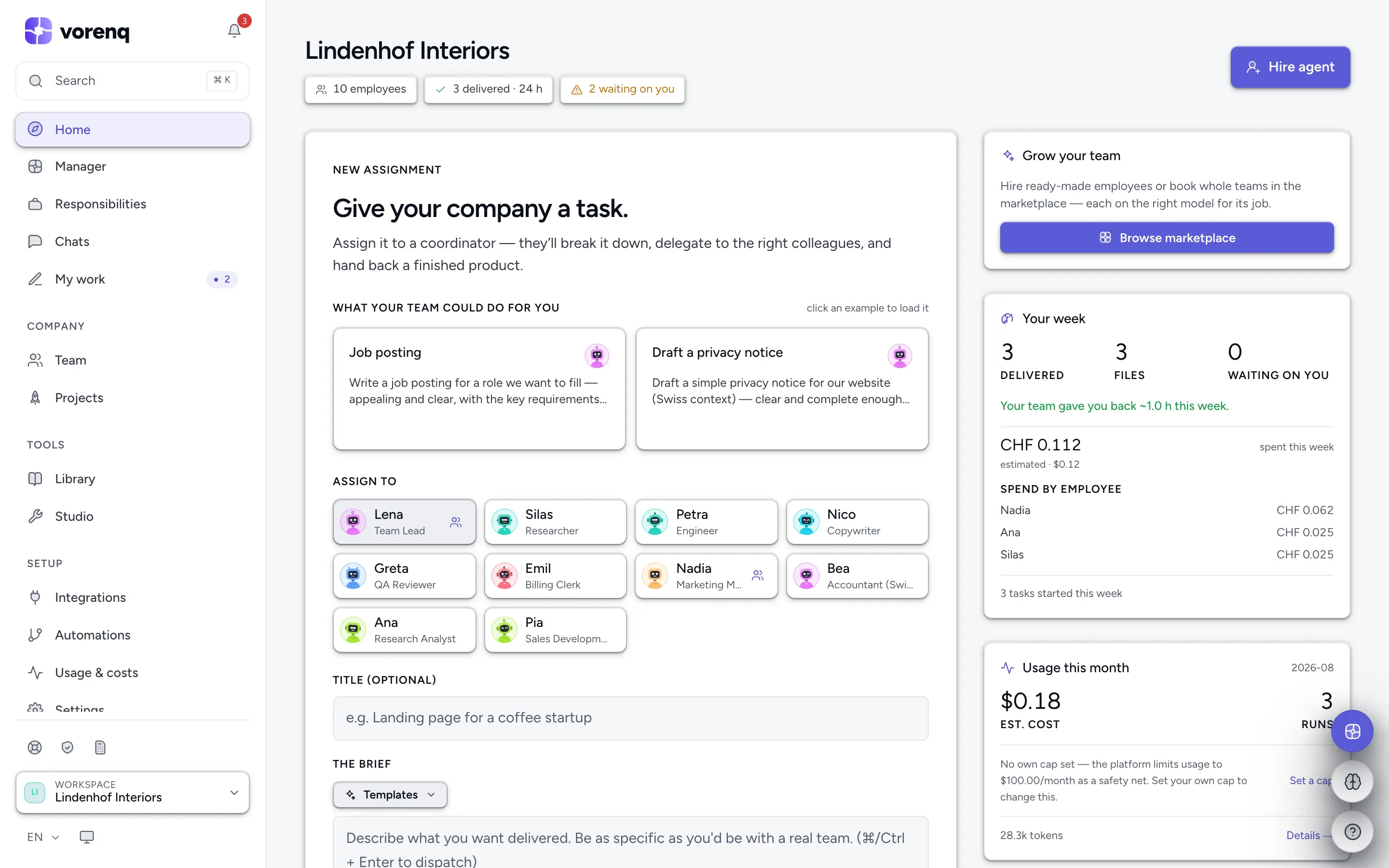
- 1Write the brief here, as you would to a person. ⌘/Ctrl + Enter sends it.
- 2Who does it. The composer picks from your brief — “change” lets you choose; a coordinator splits bigger jobs across the team.
- 3Not sure who or how? “Vori” in the sidebar turns a problem into a plan.
- 4“Hire employee” creates a new employee from scratch; ready-made specialists are in the marketplace, reached from Team.
Plan it together first
Unsure how to phrase it? After typing a first line, Plan it with me reads your brief back, asks two to five tappable questions and settles the forks in advance («Decide now, so it doesn't have to stop and ask»). Write the brief turns your answers into the finished brief; Use this brief puts it in the composer, and Watch it first turns on a rehearsal. The agreed done when list travels with the run and is checked on its page. Vori can hold the same planning conversation in its chat.
It works until it's done
No count of steps, hand-offs, tokens or searches ends a task — an employee works until the job is done. Only money stops a run: your credit balance, the monthly spend cap, the budgets and hard limits on Spend control, an accepted estimate, or the task's own spending limit. A run stopped that way keeps its work and is marked delivered with issues.
For big jobs an employee can split its own work into two to five parts and run them in parallel copies of itself — same role, apps and memory — then combine the reports. Copies spend the same money; you see them in the run's timeline.
Follow and review a run
While a run is live, its page shows every step — messages, tool calls, app actions, hand-offs and approval requests — and you can comment while it works; the employee reads your comment mid-task. On a finished run, the brief and How the team worked fold away so the result comes first: What was done, the deliverables, and what changed in your apps (confirmed, did not land, couldn't check). Trace and Raw log show the detail.
The page shows the estimated model cost and, where it applies, what was charged in credits. Stopped a run and changed your mind? Resume continues it in place — same employee, same timeline, work already done is kept, not redone or billed twice. A failed run offers Re-run, which opens the brief again in the composer.
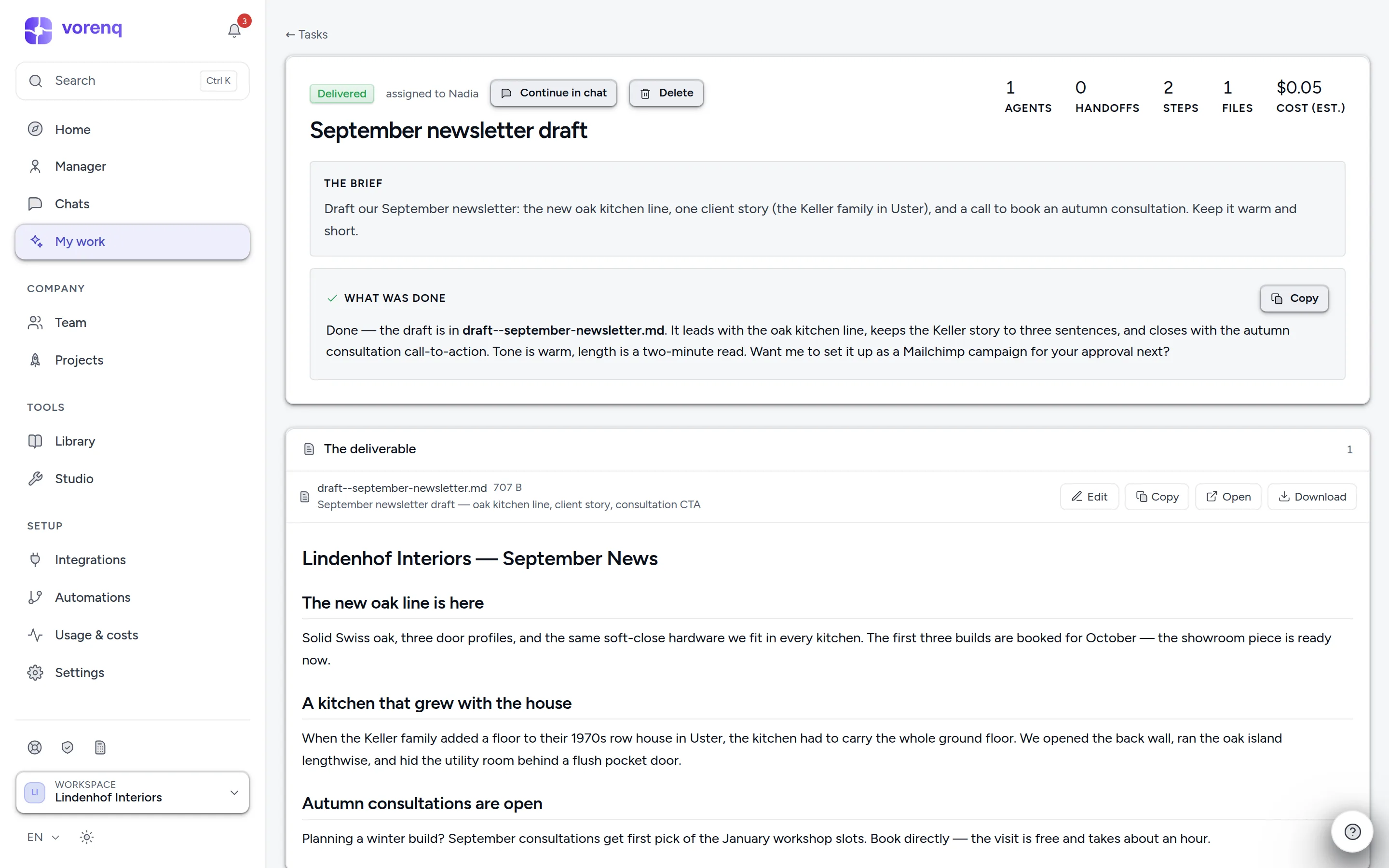
- 1The brief: what you asked for. On a finished run it folds into a row you can reopen.
- 2What was done, in one paragraph — read this first.
- 3The deliverable itself — open, edit, copy or download it, or hand it to an employee's chat to keep working on.
- 4Missing something? “Continue in chat” picks up with the same employee and full context.
Keep working on a result
A finished run isn't a dead end — continue it with follow-up chat. The employee keeps the full context of the run: the brief, the result, what its tools returned, what was said and approved, and the files it produced. Ask about details, request changes, or say «try again» without re-explaining anything. Useful runs can be kept: Save as workflow or Save as skill.
The task board
The task board keeps planned, running and done work in lanes. Save briefs as tasks and press Run when it suits you — it opens the brief in the composer; nothing starts on its own. Drag cards between lanes, mark one Won't do, reopen a finished one, or Select multiple to stop or delete several. Everything finished is in History, searchable.
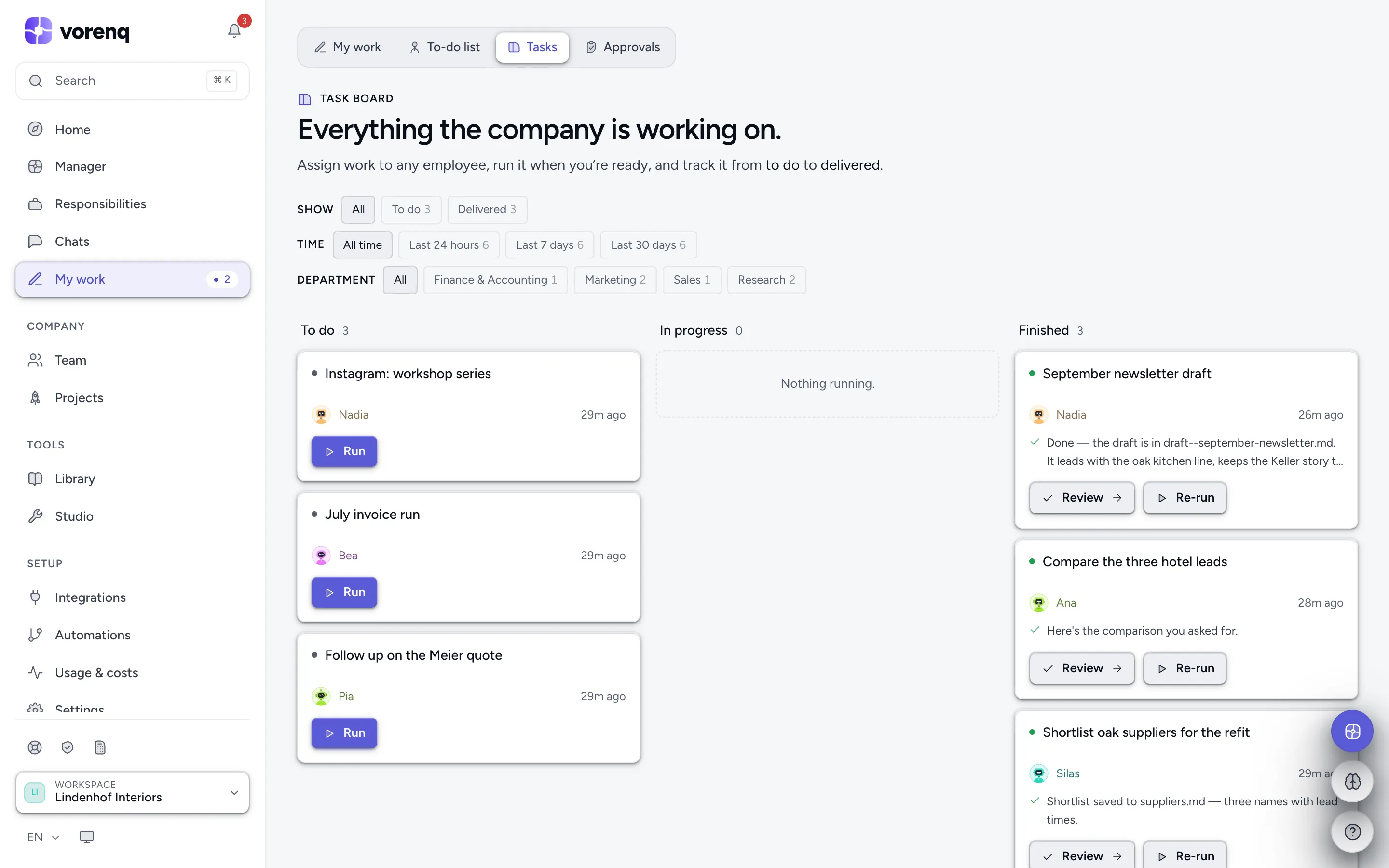
- 1One card = one task. It waits in “To do” until you press “Run” — nothing starts on its own.
- 2Finished cards show a one-line summary. “Review” opens the full result.
- 3Filter the board: status, time window, department.
Deliverables you can actually use
An HTML deliverable — a social post, banner or story — has an Image button: pick a platform frame (square, portrait, story, landscape, link preview, Pinterest) and download a ready-to-post PNG at that exact size, or Export all platforms as one zip.
With social platforms connected (LinkedIn, Instagram, Facebook Pages, Threads, Pinterest, TikTok, X), an employee can publish a designed post with the image attached — after your approval, never before, unless you relax that on the Security page.