Projects
A project groups several employees around one goal and gives every task inside it shared context — what one employee learns, the next one already knows.
Create a project
From the Projects page: name it, describe the goal — what done looks like; every task on the project is briefed with it — and add members. A project may start memberless; it just can't take work until it's staffed.
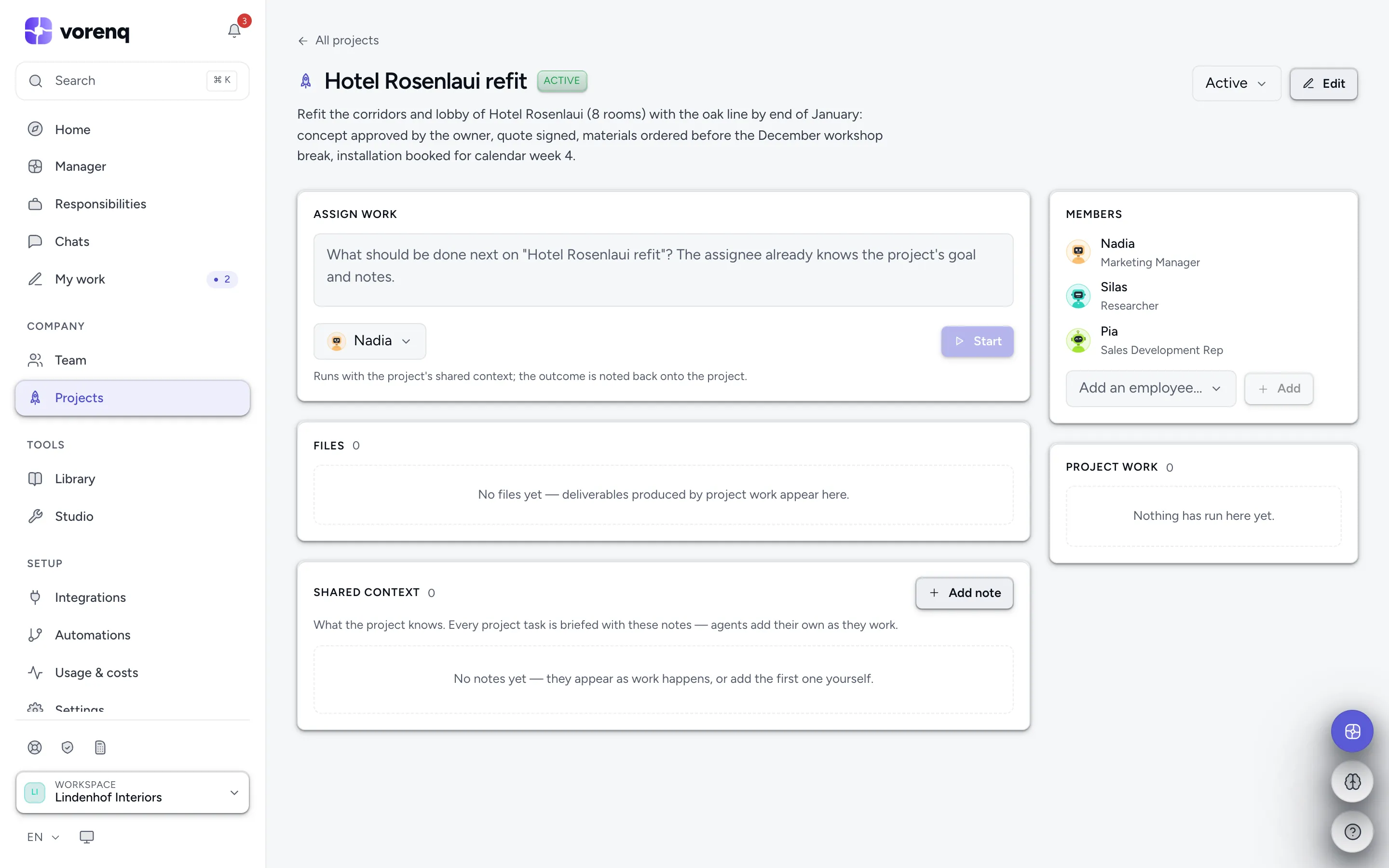
- 1Describe the next step — the assignee automatically knows the project's goal and notes.
- 2Pick who does it, then press “Start”.
- 3Members share the project's context; add or remove employees any time.
- 4“Add note” pins facts every project task should know: decisions, constraints, contacts.
Context compounds
Assign work directly from the project and the outcome is noted back onto it automatically; employees add their own notes as they work. Older notes fold into one rolling summary, so the context stays sharp instead of growing endless — Compact does it on demand. Pin a note and it rides in every briefing and is never folded away. Onboarding a client, a launch, a rebrand — anything with many steps benefits.
Files and attached automations
Everything the project's runs produce is listed in the project's Files section — the deliverables of the whole initiative in one place, each file one click from its editor and its producing run. Project work lists the runs themselves.
A workflow can be attached to the project — in the workflow editor, or by asking Vori. Every step then runs with the project's context, reports its outcome back as a note, and its files land here. Attached automations are listed on the project page; a one-time initiative is simply a project plus a manual workflow run once.
Lifecycle
A project is Active (takes new work), Completed or Archived (both stop taking new work). Set the status on the project's page; Edit renames it, changes the goal or deletes the project.