Security & privacy
Control, transparency and Swiss data protection are built in — not an add-on. The Security page is the control room.
The control room
The Security page opens with what is in force now, then three tabs. Approvals & policy holds the approvals inbox, the policy (what needs your approval, the payment cap, auto-approve below an amount, standing rules, recipient allow- and denylist, monthly caps), per-connector read/write permissions, frontier models, data residency and smart model routing. Account holds your sign-in and devices; Audit & data the audit log and the sub-processor list. Not sure where to start? Set this up with Vori.
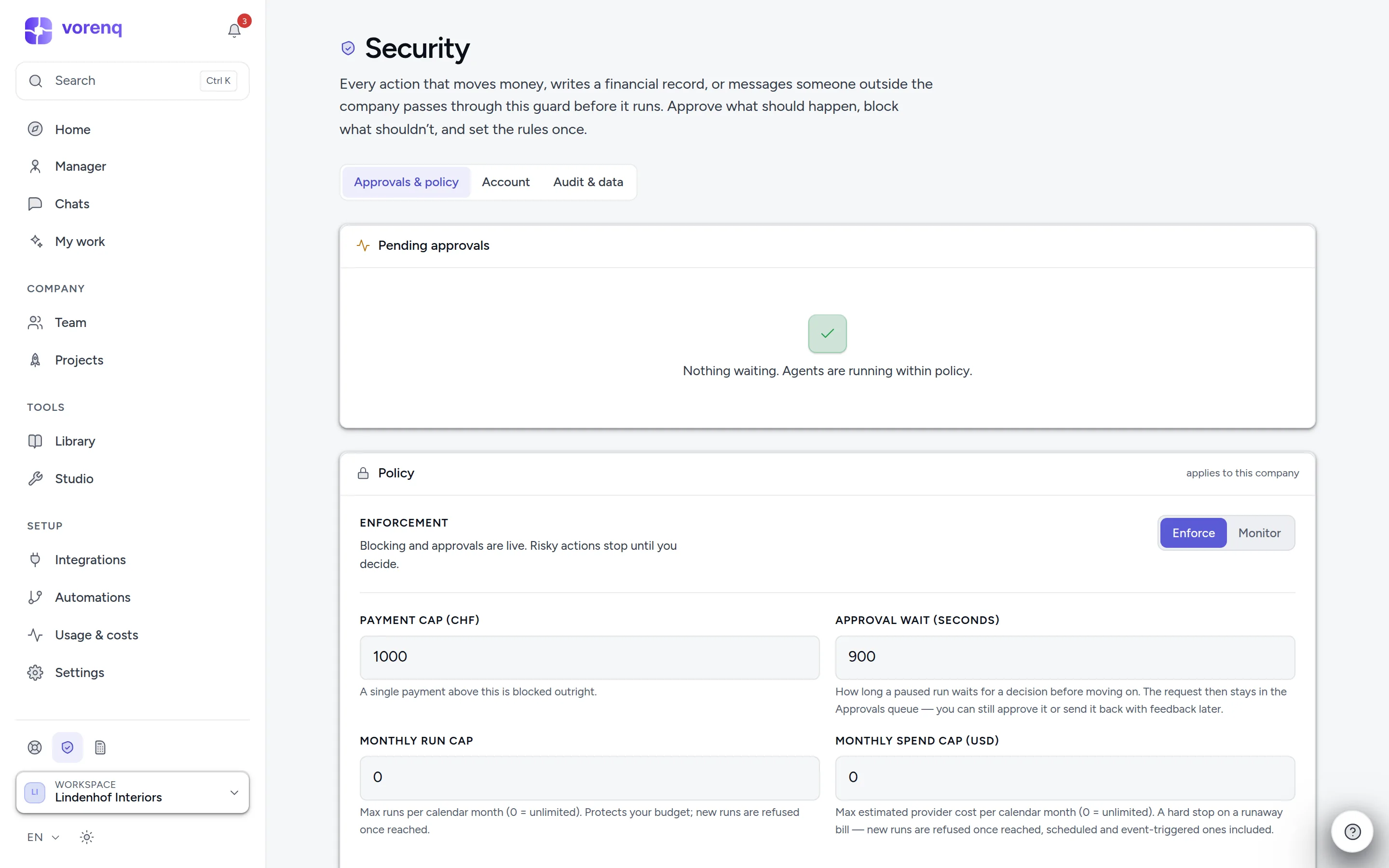
- 1“In force now”: enforcement, approval gates and where processing happens, at a glance.
- 2Three tabs: approvals & policy, your account, and audit & data — the trail of everything agents did.
- 3By default, risky actions wait here for your decision — approve, approve all similar, request changes or reject.
Your data
The app and database run in Frankfurt (EU); files are stored in Cloudflare R2 (EU). AI processing runs by default at Anthropic in the USA, safeguarded by Standard Contractual Clauses or the Swiss-US Data Privacy Framework; supporting steps (summaries, document reading, dictation, search, embeddings) go to the providers named in the privacy policy. The privacy policy follows the Swiss revDSG and section 12 of the terms is the data processing agreement; whether your own use complies is for you, as controller, to assess. When a workspace is created you choose where its AI works: standard (every model, including US providers) or EU (AI processing in the providers' European data centres — the EU, plus Switzerland and Norway where a provider's EU zone includes them; offered where an EU provider is enabled; it costs a little more per token, and web search, image generation and cloud embeddings are off). Data residency on the Security page restricts it further, for the whole workspace or per department (EU / US / CN) — employees on disallowed models are re-routed or blocked, fail-closed.
Vorenq itself never trains models on your data. The sub-processor list (Audit & data tab) names every provider that may process your data — models, hosting, storage, email, payments — with its country and the legal basis for the transfer, versioned, with notice before a change; the public privacy policy carries the identical list. Whether your profession may use Vorenq, professional secrecy included, has its own chapter: Can your business use Vorenq?
AI transparency
When your employees message people outside your company — emails, chat and SMS messages, helpdesk and review replies, postal letters — the message opens with a notice the platform adds itself: written by an AI agent on behalf of your company. Public posts end with it, and emails also carry a machine-readable marker. The notice is required by law (EU AI Act Art. 50) and cannot be switched off.
Audit log
Every consequential action is recorded and searchable — who did what, when, on whose approval. If you ever need to reconstruct a decision, the trail is there.
Protect your account
The Account tab holds your name and email, your password, two-factor authentication and your signed-in devices. To turn on two-factor, scan the QR code with an authenticator app, confirm with a code, and store the one-time recovery codes safely. Afterwards sign-in requires your password plus a 6-digit code. An owner can require two-factor for everyone in the workspace.
Deleting your account is self-service (bottom of the Account tab, with your password and, if enabled, a code): it permanently erases your account and personal data — workspaces you solely own are deleted with all their data; shared ones keep running without you. If you are the only owner of a shared workspace, hand ownership to another member first.